
OptiPlex 3046 Small Form Factor Quick Start Guide
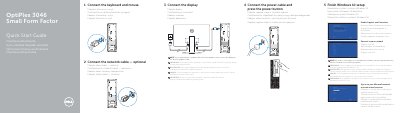
This is Dell's multilingual quick start guide for the OptiPlex 3046 Small Form Factor computer (regulatory model D11S, regulatory type D11S001). The first page walks through the basic setup in numbered steps: connecting the keyboard and mouse, connecting the network cable (optional), connecting the power cable and pressing the power button, and connecting the display. It notes that if the computer was ordered with a discrete graphics card, the display should be connected to that card.
The guide then covers finishing Windows 10 setup, enabling Support and Protection, connecting to a network (including entering the password for a secured wireless network), and signing in with a Microsoft account or creating a local account. The second page lists the numbered features of the computer, including optical-drive bay, USB 2.0 and USB 3.0 connectors, power button, HDMI, DisplayPort and optional VGA connectors, memory card reader, expansion-card slots, power-supply diagnostics and security-cable slot, and gives Dell support, contact and regulatory web addresses.
| Regulatory type | D11S001 |
|---|---|
| HDMI connector | Included |
| DisplayPort connector | Included |
| VGA connector | Optional |
| Memory card reader | Optional |
| Expansion slots | Expansion-card slots |
| Power-supply diagnostics | Diagnostic button and diagnostic light |
Dell lists its product support and manuals pages at Dell.com/support and Dell.com/support/manuals.
Connect the display to the discrete graphics card rather than to the computer's onboard connector.
Enter the password for the wireless network access when prompted.