
OptiPlex 7440 All-in-One Quick Start Guide.
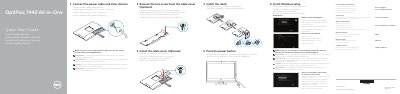
The Dell OptiPlex 7440 All-in-One Quick Start Guide explains initial setup of the computer. It covers connecting the power cable and other devices, removing the torx screw from the optional cable cover, installing the cable cover and stand, pressing the power button, and finishing Windows setup.
Page 2 identifies system features and connectors, including the microphone, camera, optical drive, OSD buttons, status lights, power button, audio, DisplayPort, HDMI-out, USB 3.0, HDMI-in, USB 2.0, network and power-cable connectors, power-diagnostic button and light, cable cover, security cable slot, stand, service tag label, headset connector, USB 3.0 with PowerShare, USB 3.0, and memory card reader. It also lists Dell apps and support links.
| Computer model | OptiPlex 7440 AIO |
|---|---|
| Regulatory model | W11C |
| Regulatory type | W11C001 |
| USB 3.0 | USB 3.0 connectors |
| HDMI input | HDMI-in connector |
| Memory card reader | Memory card reader |
See the documentation that shipped with the wireless keyboard or mouse.
Enter the password for the wireless network access when prompted.
Dell directs users to dell.com/support for the Owner’s Manual and product support.
The computer model is OptiPlex 7440 AIO.