
The Dell Precision 3510 Quick Start Guide provides information on how to connect the power adapter, turn on the power, locate Dell apps, register your Dell product, check and update your computer, finish Windows 10 setup, enable support and protection, and connect to your network.
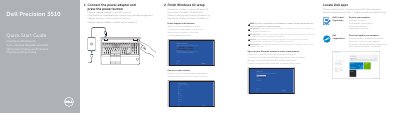
This is the multilingual quick start guide for the Dell Precision 3510 computer. It walks through the first steps: connecting the power adapter and pressing the power button, locating Dell apps such as Dell Product Registration and Dell SupportAssist, finishing Windows 10 setup, enabling Support and Protection, connecting to a network, and signing in to a Microsoft account or creating a local account.
The second page is a labeled features diagram listing the connectors, slots, lights, and optional items on the computer, from the network and VGA connectors to the Thunderbolt 3 connector and service-tag label. The guide closes with support links, regulatory and safety links, and the regulatory model and type (P48F001).
| HDMI connector | HDMI 1.4 |
|---|---|
| USB connectors | USB 3.0 |
| USB with PowerShare | USB 3.0 with PowerShare |
| Thunderbolt 3 connector | Optional |
| Memory-card reader | SD |
Connect the power adapter and press the power button.
When prompted, enter the password for the wireless network access.
Use Dell Product Registration, listed under Dell apps, to register your computer.
Dell lists product support and manuals at Dell.com/support/manuals.