
This document is a quick start guide for Dell computers. It introduces how to set up and use a Dell computer.
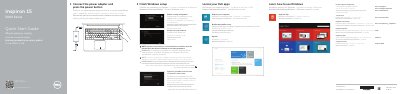
This guide helps you set up your Dell Inspiron 5548 laptop. It covers connecting power, registering your device, and configuring Windows. You’ll also learn about ports, buttons, and quick-access keys for features like audio, display, and network.
The guide includes diagrams of the laptop’s ports and indicators, such as USB, HDMI, and camera status lights. It also explains how to connect to Wi-Fi, sign in to Microsoft, and use shortcut keys for volume, brightness, and wireless control.
| Computer Model | Inspiron 5548 |
|---|---|
| Regulatory Model | P39F |
| Regulatory Type | P39F001 |
Enter the wireless network password when prompted during setup.
Ports include USB 2.0, USB 3.0 (2), HDMI, network, power adapter, and media card reader.
Use the mute key or volume up/down keys to control audio.