
The Dell Inspiron 3252 Quick Start Guide provides instructions on how to connect the keyboard and mouse, network cable, power adapter, and display.
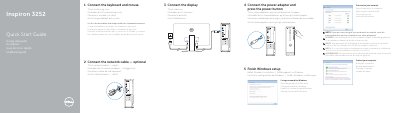
This guide shows how to connect the keyboard, mouse, network cable, power adapter, and display, then finish Windows setup, set a password, connect to a network, and protect the computer.
It also identifies the computer's features and ports and points to Dell help documentation, product support, manuals, and regulatory information.
| USB 3.0 ports | 2 |
|---|---|
| USB 2.0 ports | 4 |
| Audio ports | 3 |
Enter the password for the wireless network access when prompted.
Click Start, then All Programs, then Dell Help Documentation.
Visit dell.com/support/manuals.