
The Dell laptop quick start guide provides information on how to use the Dell laptop.
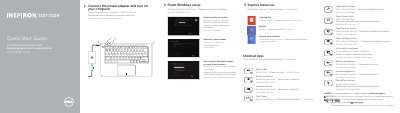
This two-page guide for the Dell Inspiron 3137/3138 covers initial computer setup and Windows setup. It shows how to connect the power adapter and turn on the computer, enable security and updates, sign in with a Microsoft account or create a local account, and connect to a network. It then points to Help and Tips, My Dell, and computer registration resources.
The guide also lists shortcut keys for audio volume and mute, play/pause, search, share, devices, settings, brightness, wireless, and recently used apps. It identifies the computer's camera, digital microphones, security-cable slot, network, USB 2.0 and USB 3.0, media-card reader, headset, HDMI, power-adapter, and power button, and gives Dell support, manuals, contact, and regulatory-compliance web addresses.
| Computer model | Inspiron 3137/3138 |
|---|---|
| Regulatory model and type | P19T; P19T001/P19T003 |
| Microphones | Digital microphones (2) |
| USB port | USB 3.0 port |
| Power port | Power-adapter port |
Connect the power adapter and turn on your computer.
Dell provides product support and manuals at dell.com/support and dell.com/support/manuals.
Go to dell.com/contactdell.
It is for the Inspiron 3137/3138 computer model.