
This document is a guide on how to finish Windows setup. It provides instructions on how to connect the power adapter, set up a password, and connect to a network.
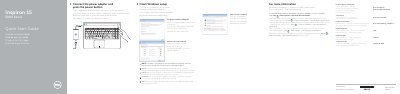
This is the two-page Dell Inspiron 15-5555 Quick Start Guide for the Inspiron 15 5000 Series computer. It walks through finishing Windows setup, connecting the power adapter and pressing the power button, setting a Windows password, connecting to a network, and protecting the computer.
The guide also lists product support and contact links, regulatory and safety information, and the computer's features and shortcut keys. The feature section identifies the camera, microphones, power-adapter port, network port, HDMI port, USB 3.0 port, media-card reader, status lights, left- and right-click areas, headset port, two USB 2.0 ports, optical drive, security-cable slot, power button, battery, battery-release latch, regulatory label, and Service Tag label.
| Model | Inspiron 15-5555 |
|---|---|
| Regulatory model | P51F |
| Regulatory type | P51F002 |
| USB 3.0 port | 1 |
| USB 2.0 ports | 2 |
| HDMI port | 1 |
| Optical drive | Included |
Connect the power adapter and press the power button, then complete the Windows setup steps shown in the guide.
Dell provides product support and manuals at dell.com/support and dell.com/support/manuals.
Enter the wireless network password when prompted if you are connecting to a secured wireless network.
Click Start, then All Programs, then Dell Help Documentation.