
The Dell Vostro 3667/3668 Quick Start Guide provides information on how to set up and use the Dell Vostro 3667/3668 computer.
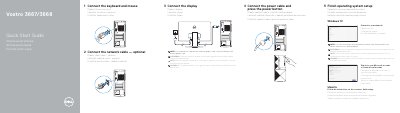
This Dell Vostro 3667/3668 quick start guide shows how to set up the computer: connect the power cable and press the power button, connect the display, keyboard, mouse, and optional network cable, then finish operating system setup for Windows 10 or Ubuntu. It also covers connecting to a network and signing in with a Microsoft account or creating a local account.
The guide lists the computer's features, including the optical drive, power button, VGA and HDMI ports, memory card reader, USB 2.0 and USB 3.0 ports, network port, expansion card slots, power diagnostics light, and security cable slot. It ends with Dell app and support links, contact information, and regulatory and safety references.
| Computer model | Vostro-3667/3668 |
|---|---|
| Regulatory model | D19M |
| Regulatory type | D19M003 |
| Display ports | VGA and HDMI |
| USB ports | USB 2.0 and USB 3.0 |
| Memory card reader | Yes |
| Network port | Yes |
| Optical drive | Yes |
| Security cable slot | Yes |
Connect the display; if you ordered the computer with a discrete graphics card, connect the display to that card.
Connect the power cable and press the power button, then connect the display, keyboard, and mouse.
Look for Dell apps in Windows 10; SupportAssist can check and update your computer.
Use Dell.com/support for support, Dell.com/support/manuals for manuals, and Dell.com/contactdell to contact Dell.