
OptiPlex 3050 Tower Quick Start Guide
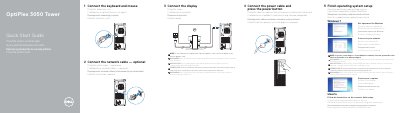
This quick start guide for the Dell OptiPlex 3050 Tower walks through connecting the keyboard and mouse, optional network cable, display, and power cable. It then covers finishing Windows 7 or Ubuntu setup and protecting the computer.
The second page lists the tower's ports and features, including optional optical drive, memory card reader, and VGA port, plus support, contact, and regulatory information.
| Computer model | OptiPlex 3050 Tower |
|---|---|
| Optical drive | Optional |
| Memory card reader | Optional |
| VGA port | Optional |
| USB ports | USB 2.0 ports, USB 3.0 ports, and USB 2.0 ports with Smart Power On |
| Security | Kensington security cable slot and padlock ring |
It covers the OptiPlex 3050 Tower.
Connect the display to the discrete graphics card.
Enter the password for the wireless network access when prompted.
Follow the instructions on the screen to finish setup.