
Dell OptiPlex 3050 All-in-One Quick Start Guide

OptiPlex 3050 All-in-One Quick Start Guide
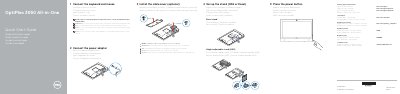

Dell OptiPlex 3050 All-in-One Quick Start Guide - cover page
Brand
DELL
Category
All-in-One Desktops
Document type
Quick Start Guide
Language
English
Pages
2
File format
PDF
File size
326 KB
Published
25 November, 2023
Updated
25 November, 2023
MD5 checksum
744424CE573146ADC5D4688F92376C36

About this manual

This Dell quick start guide covers initial setup of the OptiPlex 3050 All-in-One computer, including connecting the keyboard and mouse and attaching the power adapter.

It also describes the easel and height adjustable stands, the optional cable cover, front and side features such as USB ports and the SD card reader, and basic Windows setup steps.

What's inside

  • Product support and manuals
  • Contact Dell
  • Regulatory and safety
  • Connect the keyboard and mouse
  • Connect the power adapter
  • Set up the stand (HAS or Easel)
  • Features
  • Finish Windows 7 setup
  • Connect to your network
  • Protect your computer

Frequently asked questions

How do I connect the keyboard and mouse?

Connect the keyboard and mouse to the computer during setup.

What computer model does this guide cover?

This guide covers the OptiPlex 3050 All-in-One computer model.

How do I set up the stand?

Set up the stand using either the height adjustable stand (HAS) or the easel stand option.

How do I connect to a network?

Connect to your network and enter the wireless password when prompted for a secured network.

Download PDF (326 KB)

More DELL Manuals


View all DELL manuals →