
OptiPlex 3050 Tower Quick Start Guide
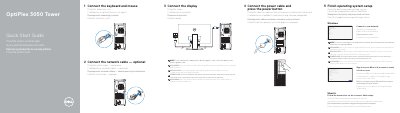
This quick start guide for the Dell OptiPlex 3050 Tower shows how to connect the keyboard and mouse, optional network cable, display, and power cable, then press the power button.
It also covers finishing Windows or Ubuntu operating system setup, locating Dell apps such as SupportAssist, and identifying the computer's ports and features. Support, contact, and regulatory information are included.
| Computer model | OptiPlex 3050 Tower |
|---|---|
| Regulatory model | D18M |
| Regulatory type | D18M003 |
| Optical drive | Optional |
| Memory card reader | Optional |
| VGA port | Optional |
| USB 2.0 ports | Supports Smart Power On |
Connect the display cable. If the computer has a discrete graphics card, connect the display to the discrete graphics card.
Follow the instructions on the screen. For Windows, connect to your network and sign in to a Microsoft account or create a local account.
SupportAssist checks and updates your computer.
Dell provides support and manuals at Dell.com/support and Dell.com/support/manuals.