
Dell Latitude 14 7000 Series Notebook Quick Start Guide.
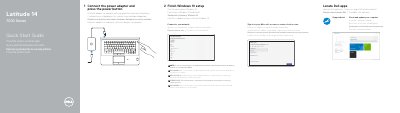
This two-page quick start guide from Dell covers the first steps for the Latitude 14 7000 Series notebook, computer model Latitude 14-7470/E7470 (regulatory model P61G). It walks through connecting the power adapter, locating Dell apps such as SupportAssist, finishing Windows 10 setup, connecting to a network with a note about secured wireless networks, and signing in with a Microsoft account or creating a local account.
The second page is a features page with numbered callouts for the notebook's ports, lights, buttons and optional items, from the network and HDMI connectors to the security-cable slot, dock connector and service-tag label. It also lists Dell support, contact and regulatory-compliance web addresses and shows the regulatory type P61G001. The text appears in several languages, including English, Croatian, Hungarian, Russian and Serbian.
| Computer model | Latitude 14-7470/E7470 |
|---|---|
| Regulatory model | P61G |
| USB ports | USB 3.0 connectors (2), one with PowerShare |
| Optional features | SIM port, contactless smart-card reader, fingerprint reader, smart card reader, track stick/track pad |
Connect the power adapter and press the power button.
Enter the password for the wireless network access when prompted.
Sign in to your Microsoft account or create a local account.
Dell lists Dell.com/support for support and Dell.com/support/manuals for manuals.