
This document describes how to connect a Dell TV.
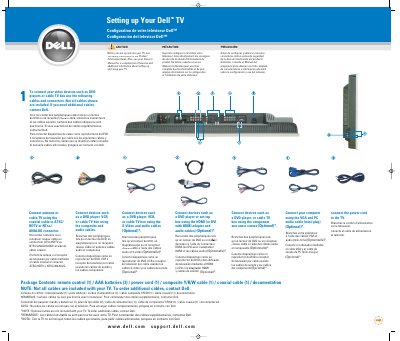
This guide explains how to connect video devices such as DVD players, cable boxes, or VCRs using various cables and connectors. It includes instructions for connecting antennas, coaxial cables, HDMI, VGA, and composite/S-Video cables. The guide also covers setting up HDTV or cable channels and selecting the correct input source via the TV menu. Additional setup details, including remote control battery installation and power connection, are provided.
The document is multilingual, with instructions in French, Spanish, and English. It references the Owner’s Manual for more detailed information and includes a diagram of TV input ports. Cables are not all included; users must contact Dell for additional ones.
| Model Number | HF6DV38000I |
|---|---|
| Document Version | Rev.A00 |
| Publication Date | September 2006 |
Not all cables are included with your TV. Contact Dell to order additional cables.
The ATSC/HDTV or NTSC/ANALOG connector using a coaxial cable.
Press the Input (Entrée) button on the remote control.
Remote control (1), AAA batteries (3), power cord (1), composite Y/R/W cable (1), coaxial cable (1), and documentation.