
This document describes the setup and operation instructions for Dell computers.
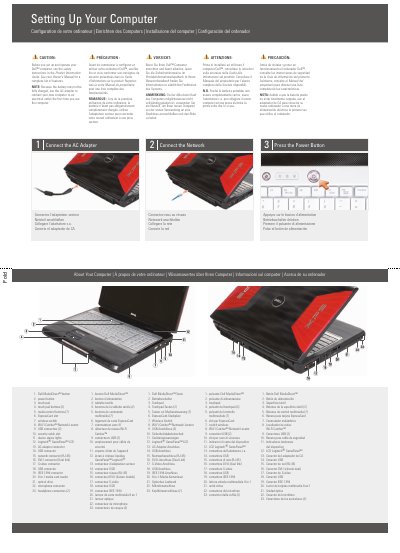
This Dell XPS M1730 guide covers initial computer setup: connecting the AC adapter, connecting the network, and pressing the power button. It also lists the computer's buttons, slots, connectors, and status lights. The instructions appear in English, French, German, Italian, and Spanish.
A caution directs users to read the safety instructions in the Product Information Guide before setup and to see the Owner's Manual for a complete feature list. The guide notes that the battery may not be fully charged and includes a diagram for an optional wireless network plus information on finding answers at support.dell.com.
| Network connector | RJ-45 |
|---|---|
| DVI-I connector | Dual link |
| Media card reader | 8-in-1 |
| Headphone connectors | 2 |
See the safety instructions in the Product Information Guide and see the Owner's Manual for a complete list of features.
Yes. Because the battery may not be fully charged, use the AC adapter to connect the new computer to an electrical outlet the first time.
Click the Documentation and Support icon on the desktop or go to support.dell.com.
It shows Internet service, a cable or DSL modem, a wireless router, a desktop computer with network adapter, and a portable computer with wireless network card.