
The Dell™ 3400MP projector is a high-brightness, high-contrast projector that is ideal for business and education use. It features the following:
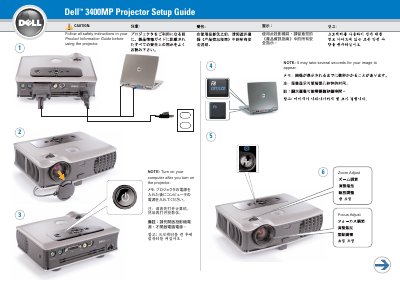
This guide covers initial setup of the Dell 3400MP projector, including connecting the projector to a computer, turning it on, and adjusting zoom and focus. It also notes that the image may take several seconds to appear and that the computer should be turned on after the projector.
The second page lists the remote control buttons, including power, navigation, laser, mute, volume, video mode, blank screen, source, auto keystone, and auto adjust. A USB cable must be connected to use the Next Page and Previous Page functions.
It may take several seconds for the image to appear.
No. Turn on the computer after you turn on the projector.
The USB cable shown in step 1 must be connected.
The Owner's Manual contains more information about the projector.