
Guide to Setting Up Your Dell Computer
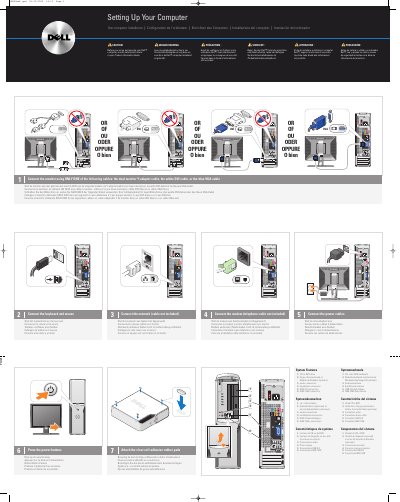
This Dell computer setup guide provides multilingual instructions for setting up a Dell desktop computer, including attaching rubber pads, connecting the keyboard, mouse, monitor, network, modem, and power cables, and pressing the power button.
It also lists system features such as CD or DVD drives, audio and USB connectors, and includes optional steps for installing a remote control, batteries, Media Center software, and a wireless network.
| Optical drive | CD or DVD drive |
|---|---|
| Floppy drive | optional |
| Media Card Reader | optional |
| Audio connectors | audio connectors |
| Headphone connector | headphone connector |
| USB 2.0 connectors | USB 2.0 connectors |
| IEEE 1394 connectors | IEEE 1394 connectors |
Read and follow the safety instructions in the Product Information Guide.
Use only one of the dual monitor Y-adapter cable, the white DVI cable, or the blue VGA cable.
See the Owner’s Manual for setup instructions.
No, the network cable is not included.