
The Dell Precision Mobile Workstation 5000 Series Quick Start Guide provides information on how to set up and use the Dell Precision Mobile Workstation 5000 Series laptop.
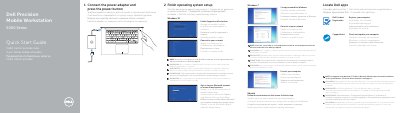
This Quick Start Guide provides initial setup steps for the Dell Precision 5510 mobile workstation. It explains how to connect the power adapter, finish operating system setup for Windows 10, Windows 7, or Ubuntu, set a Windows password, connect to a network, and protect the computer.
The guide also lists the workstation's external features, including the power button, USB 3.0 connectors with PowerShare, Thunderbolt 3, HDMI, memory-card reader, touchpad, camera, speakers, and microphones. It includes details on Dell Product Registration, SupportAssist, and Dell support and manuals.
| Computer model | Dell Precision 5510 |
|---|---|
| USB 3.0 connector | PowerShare |
| Thunderbolt connector | Thunderbolt 3 |
Connect the power adapter and press the power button.
Perform a manual installation of the system drivers and get the latest drivers from dell.com/support.
Enter the password for the wireless network access when prompted.
The computer model is the Dell Precision 5510.