
Dell Vostro 14 Notebook Quick Start Guide
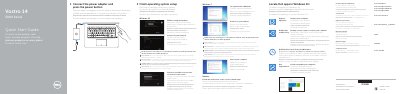
This Dell Vostro 14-5459 Quick Start Guide helps users connect the power adapter, turn on the computer, and complete initial setup for Windows 8.1, Windows 7, or Ubuntu. It also covers locating Dell apps, registering the device, and enabling security and updates.
The guide describes features such as USB 3.0 connectors, HDMI, network and power ports, and shortcut keys. It explains how to create Windows recovery media and where to find the Owner’s Manual and Dell support.
| Computer model | Vostro 14-5459 |
|---|---|
| Regulatory model | P68G |
| Regulatory type | P68G001 |
| Operating system | Windows 8.1 |
Connect the power adapter and press the power button.
It is available at dell.com/support/manuals.
Type Recovery in Windows search, click Create a recovery media, and follow the on-screen instructions.