
VOSTRO 3800/3900/3900G/3902 Quick Start Guide
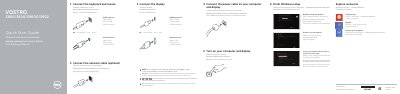
This Quick Start Guide describes the initial setup of Dell Vostro 3800, 3900, 3900G and 3902 desktop computers. It walks through connecting the keyboard and mouse, network cable, display, and power cables, then turning on the computer and display and completing Windows setup.
The guide also lists the features and connectors of the Vostro 3900/3900G/3902 and Vostro 3800, including optical drive, power button, hard-drive activity light, USB 2.0 and USB 3.0 connectors, HDMI and VGA connectors, audio connectors, expansion card slots, FlexBay, and media card reader.
| Regulatory model and type | D08D, D17M / D08D001, D17M001 |
|---|---|
| Computer model | Vostro 3800/3900/3900G/3902 |
| USB connector version | USB 2.0 and USB 3.0 |
| Display connectors | HDMI and VGA |
| Keyboard and mouse connectors | USB or PS/2 |
Use the HDMI or VGA connector. If the computer was ordered with a discrete graphics card, connect the display to the discrete graphics card.
Connect the keyboard and mouse, optionally connect the network cable, connect the display and power cables, turn on the computer and display, and finish Windows setup.
Support and manuals are available at dell.com/support and dell.com/support/manuals, with Windows 8 information at dell.com/windows8.