
Dell Vostro 15 3000 Series Vostro 15-3565 Notebook Quick Start Guide

Dell Vostro 15 3000 Series Notebook Quick Start Guide
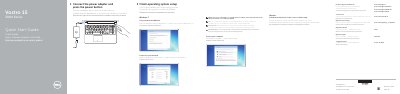

Dell Vostro 15 3000 Series Vostro 15-3565 Notebook Quick Start Guide - cover page
Brand
DELL
Category
Laptops
Document type
Quick Start Guide
Language
English
Pages
2
File format
PDF
File size
972 KB
Published
25 November, 2023
Updated
25 November, 2023
MD5 checksum
9BFD7155AFD9F3281441AA9EA0A0E444

About this manual

This Dell Quick Start Guide covers the Vostro 15 3000 Series notebook, computer model Vostro 15-3565. It explains how to connect the power adapter, press the power button, and finish operating system setup for Windows 7 or Ubuntu.

The guide lists notebook features such as USB connectors, a VGA connector, a network connector, and a memory card reader. It also describes shortcut keys for audio, display, wireless, and brightness controls, and provides Dell support and regulatory compliance links.

What's inside

  • Connect the power adapter and press the power button
  • Product support and manuals
  • Contact Dell
  • Regulatory and safety
  • Finish operating system setup
  • Windows 7
  • Features
  • Shortcut keys

Specifications

Computer modelVostro 15-3565

Frequently asked questions

What is the computer model of this notebook?

The computer model is Vostro 15-3565.

How do I turn on the notebook?

Connect the power adapter and press the power button.

Where can I find the Owner’s Manual?

It is available at Dell.com/support/manuals.

Download PDF (972 KB)

More DELL Manuals


View all DELL manuals →