
Dell Latitude 5290 2-in-1 Quick Start Guide
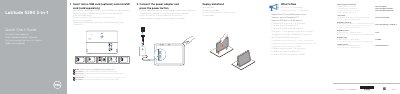
This is Dell's multilingual quick start guide for the Latitude 5290 2-in-1 computer (regulatory model T17G, regulatory type T17G002). It shows how to deploy the kickstand, connect the power adapter and press the power button, and insert an optional micro-SIM card and a separately sold microSD card, noting that the card must be correctly aligned and pushed in all the way.
The guide also lists support and regulatory web addresses (Dell.com/support, Dell.com/support/manuals, Dell.com/regulatory_compliance) and a short "What's New" section covering processor, Thunderbolt 3 and memory support. A labeled features page identifies the computer's cameras, microphones, buttons, ports, card slots, fingerprint reader, NFC and kickstand.
| Processor support | Intel 7th and 8th Gen processors |
|---|---|
| Thunderbolt | Optional Thunderbolt 3 |
| Memory | 2133 MHz on 16 GB memory |
| Regulatory model | T17G |
| Regulatory type | T17G002 |
Connect the power adapter and press the power button.
Yes, the micro-SIM card is optional, and the microSD card is sold separately.
Dell lists Dell.com/support for product support and Dell.com/support/manuals for manuals.
Yes, the features list includes a touch fingerprint reader as an option.