
This is an application guide for the Q-SYS Core 110f POTS conferencing system. This guide describes how to use Q-SYS Designer software to design and configure a POTS conferencing system.
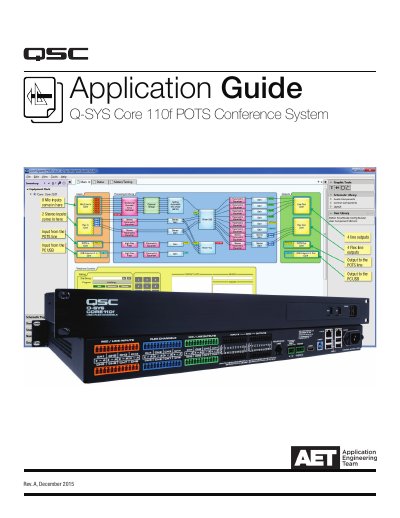
This application guide describes a Q-SYS Core 110f design for a conference room using eight tabletop mic inputs, two sets of stereo audio inputs, a USB I/O for a PC soft codec, two zones of ceiling loudspeakers, and a POTS line for voice teleconferencing. It covers the included sample design, input and output connections, POTS and network hookups, the USB Type B port, and Q-SYS Designer features such as Channel Group and the Gating Automatic Mic Mixer.
The guide also explains the color-coded Euro-style connectors on the Core 110f, including orange Mic/Line inputs, blue Flex inputs/outputs, green line outputs, and black GPIO inputs and outputs. Flex channels 1 through 4 are configured as inputs and channels 5 through 8 as outputs in the sample design.
| Stereo flex input pairs | 2 pairs |
|---|---|
| Flex channels configured as inputs | Channels 1 through 4 |
| Flex channels configured as outputs | Channels 5 through 8 |
| Line outputs | 4 |
| Ceiling loudspeakers | 4 QSC AC-C6T |
| Network jacks | Two RJ45 Gigabit Ethernet jacks |
| USB endpoints | 1 USB endpoint serving as a speakerphone |
| Gating Automatic Mic Mixer channels | 8 input channels and 1 output |
It is a conference room design with eight tabletop mic inputs, stereo audio inputs, a USB speakerphone connection, ceiling loudspeakers, and a POTS line for voice teleconferencing.
Flex channels 1 through 4 are configured as inputs, and channels 5 through 8 are configured as outputs. Any Flex channel can be reconfigured in Q-SYS Designer.
It combines multiple audio signals with adjustable noise gating, a maximum number of open mics, and adjustable attenuation and threshold parameters, which helps reduce background noise and improve intelligibility.
The modular jack on the core's rear panel connects directly to the phone line via a suitable cable, with a UCI on a TSC-7 touchscreen providing the phone dialer and volume controls.