
Key facts
- Brand
- QSC
- Model
- Core 110f
- Category
- Other products
- Documents
- 3
- Languages
- EN · ZH
- Last added
- 2026-11-04
Start here
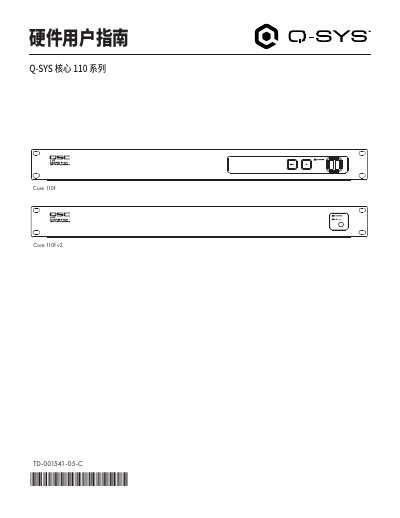
QSC Core 110 Series Hardware User Guide
This hardware user guide covers the QSC Core 110 series processors, specifically the Core 110f and Core 110f v2 models. It includes safety warnings, maintenance and repair guidelines, FCC and RoHS compliance information, and step-by-step installation instructions.
The guide describes the front panel controls and indicators for both Core 110f variants, and details all rear panel connections including mic/line inputs and outputs, Flex channels, GPIO, RS232, HDMI, USB, LAN, and power connectors. This manual is written in Chinese.
QSC Core 110f specifications
| Stereo flex input pairs | 2 pairs |
|---|---|
| Flex channels configured as inputs | Channels 1 through 4 |
| Flex channels configured as outputs | Channels 5 through 8 |
| Line outputs | 4 |
| Ceiling loudspeakers | 4 QSC AC-C6T |
| Network jacks | Two RJ45 Gigabit Ethernet jacks |
| USB endpoints | 1 USB endpoint serving as a speakerphone |
| Gating Automatic Mic Mixer channels | 8 input channels and 1 output |
Source: QSC Core 110f POTS Conference System Application Guide
All QSC Core 110f documents by type
Day-to-day operation, settings and troubleshooting. Start here if the product is already set up.
How to use the product for one specific task, with worked examples.
Questions answered in these manuals
How many softphones can the Q-SYS Core 110f support?
The Q-SYS Core 110f Processor has up to four Softphones.
What is required to configure the softphones with CUCM?
You must configure a Security Profile, End Users, and SIP Profile in CUCM.
What is the Q-SYS Core 110f POTS conference system design used for?
It is a conference room design with eight tabletop mic inputs, stereo audio inputs, a USB speakerphone connection, ceiling loudspeakers, and a POTS line for voice teleconferencing.
From: QSC Core 110f POTS Conference System Application Guide
How are the Flex channels configured in the sample design?
Flex channels 1 through 4 are configured as inputs, and channels 5 through 8 are configured as outputs. Any Flex channel can be reconfigured in Q-SYS Designer.
From: QSC Core 110f POTS Conference System Application Guide
What is the operating temperature range for the Core 110 series?
The Core 110 series is rated for an operating temperature range of 0°C to 50°C (32°F to 122°F). Ensure adequate airflow if installed in a rack.
What is included in the Core 110 package?
The package includes the Core 110 unit, AC power cord, telephone cord, GPIO connectors, mic/line input and output connectors, Flex channel connectors, external power connector, RS232 connector, hardware user guide, QSC warranty document, and four rubber feet (rubber feet not applicable to Core 110f v2).