
This document is a quick start guide for Dell computers, which introduces how to set up and use a Dell computer.
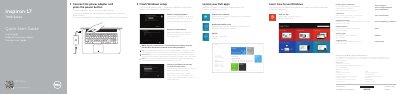
This quick start guide for the Dell Inspiron 7746 computer covers finishing Windows setup, locating Dell apps, learning to use Windows, registering the computer, and Dell Backup and Recovery. It also explains connecting the power adapter, connecting to a network, signing in to a Microsoft account, and using the computer's ports and shortcut keys.
The guide includes a labeled features diagram, shortcut-key descriptions, help and tips, and regulatory and safety information. It directs readers to Dell support and manuals for additional specifications and assistance.
| Computer model | Inspiron 7746 |
|---|---|
| Regulatory model | P24E |
| Regulatory type | P24E002 |
| Input voltage | 100 V AC–240 V AC |
| Input frequency | 50 Hz–60 Hz |
| Input current | 1.50 A/1.60 A/1.70 A/2.50 A |
| Output voltage | 19.50 V DC |
| Output current | 3.34 A/4.62 A |
See Specifications at dell.com/support.
Enter the password for the wireless network access when prompted.
Inspiron 7746.
It is item 21 in the features diagram.