
This document describes how to set up Windows. First, connect the power adapter and press the power button. Then, set up a Windows password. Finally, connect to your network.
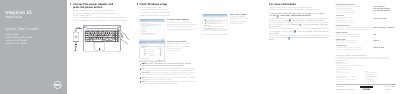
This multilingual Quick Start Guide helps users set up the Dell Inspiron 15-5559 (Inspiron 15 5000 Series) laptop. It walks through connecting the power adapter, pressing the power button, setting a Windows password, and connecting to a network, with notes on securing wireless connections.
The guide also illustrates the laptop's features with a numbered diagram showing ports, camera, microphones, media-card reader, optical drive, battery, and service tag. A shortcut-key table explains function-key combinations for audio, brightness, display switching, search, keyboard backlight, wireless, sleep, and battery-status light toggling. Regulatory information including model numbers, power ratings, and compliance details is provided at the end.
| Regulatory model | P51F |
|---|---|
| Regulatory type | P51F004 |
| Computer model | Inspiron 15-5559 |
| Input voltage | 100 V AC–240 V AC |
| Input frequency | 50 Hz–60 Hz |
| Input current | 1.30 A/1.60 A/1.70 A |
| Output voltage | 19.50 V DC |
| Output current | 2.31 A/3.34 A |
| Country of origin | China |
The regulatory label is inside the battery bay.
The regulatory model number is P51F.