
The product is a thermohygrometer with data logging function.
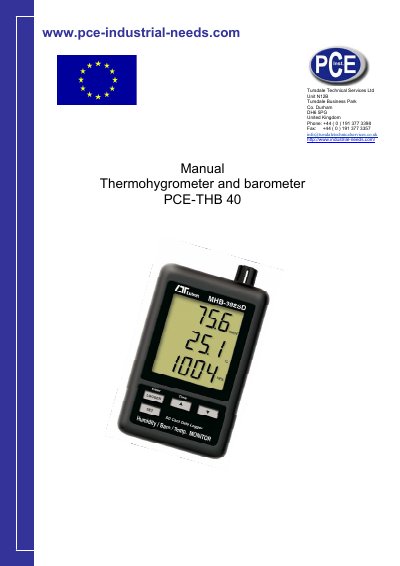
The PCE-THB 40 is a humidity, temperature, and barometer monitor with an SD card datalogger. It displays all three measurements on one LCD and stores readings with date and time information in XLS files that can be opened in Excel.
The manual covers installation, front panel controls, measuring procedure, datalogger setup and operation, SD card data structure, downloading data to a computer, advanced settings, power supply, battery replacement, system reset, and the RS232 PC serial interface.
| Humidity range | 10% to 90% R.H. |
|---|---|
| Humidity resolution | 0.1% R.H. |
| Humidity accuracy | ±(4% reading + 1% RH) at 70% RH; ±4% RH below 70% RH |
| Temperature range | 0 °C to 50 °C, 32 °F to 122 °F |
| Temperature resolution | 0.1 degree |
| Temperature accuracy | ±0.8 °C; ±1.5 °F |
| Barometer range | 10.0 to 1100 hPa; 7.5 to 825.0 mmHg; 0.29 to 32.48 inHg |
| Barometer resolution | 0.1 hPa; 0.1 mmHg; 0.01 inHg |
| Display size | 60 mm x 50 mm |
| Memory card | SD memory card, 1 GB to 16 GB |
| Sampling time | 5/10/30/60/120/300/600 seconds or Auto |
| Data output | RS232/USB PC computer interface |
| Operating temperature | 0 to 50 °C |
| Operating humidity | Less than 90% R.H. |
| Power supply | 6 x DC 1.5 V (UM4, AAA) batteries or DC 9V adapter input |
| Battery life | More than one month typically at 60-second sampling with new alkaline batteries |
| Weight | 285 g / 0.63 lb |
| Dimensions | 132 x 80 x 32 mm (5.2 x 3.1 x 1.3 inch) |
It shows humidity, temperature, and barometer values on the same LCD.
The instrument supports SD memory cards from 1 GB to 16 GB.
Press the Logger button for more than 2 seconds until the DATALOGGER indicator appears to start, and press it again for more than 2 seconds until the indicator disappears to finish.
Remove the SD card after finishing the datalogger function, insert it into the computer or an SD card adapter, and open the saved XLS files in Excel software.
Sampling time can be set to 5, 10, 30, 60, 120, 300, or 600 seconds, or to Auto mode.