
User manual for the PCE PCE-TC 2 thermal imaging PC software, covering installation, image transfer, analysis tools and report creation.
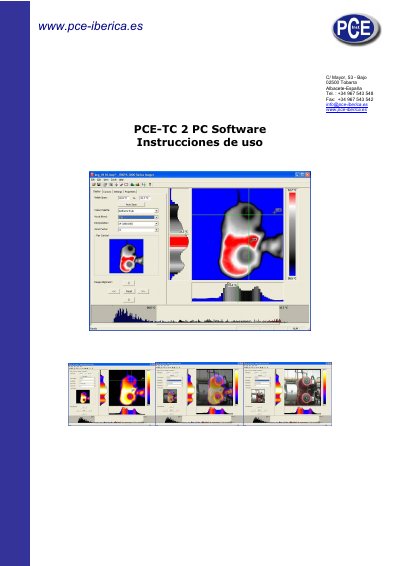
This manual describes the PCE-TC 2 PC software (2000 series) used with PCE thermal imaging cameras. It explains how to install the software from the supplied CD and how to transfer saved images to a PC, either directly from the camera over USB or from its Micro SD card. Each saved image consists of a BMP file with the thermal and visual image, an IR2 file with the temperature data and, if recorded, a WAV voice message.
The software has two modes: an analysis mode for viewing and evaluating thermal images, and a report writer for creating reports. The analysis section covers temperature range and level adjustment, color palettes, visible/infrared blending, interpolation, zoom, image alignment, cursors and settings such as units, emissivity and annotations. The report writer section explains the page title, image selection and data inspection tabs, and how to save a report or generate a PDF. This manual is written in Spanish.
| Temperature units | °C, °F, K |
|---|---|
| Emissivity range | 0.01 to 1.00 |
| Interpolation settings | x1 (47 x 47), x2 (90 x 90), x4 (180 x 180), x8 (360 x 360) |
| Zoom factors | x1, x2, x3, x4 |
| Color palettes | 8 palettes including White Hot Mono, Ironbow and Rainbow |
| Cursors | Up to 10 per image |
| Files per saved image | BMP, IR2 and optional WAV |
Insert the CD, use Windows Explorer to open the file "2000 series PC setup.exe" and the software installs to the PC, placing an icon on the desktop.
Either connect the camera to the PC via the USB cable and copy the folders with Windows Explorer, or remove the Micro SD card and copy the files using a card reader.
Each image has a BMP with the thermal and visual picture, an IR2 file with the temperature data and a WAV file if a voice message was recorded.
Switch to report writer mode, complete the page title, image selection and data inspection tabs, then press the Generate PDF button to create the report.