
The manual explains operation, peak‑load measurement, backlight, PC interface, battery replacement and specifications for the Extech 475055 digital force gauge.
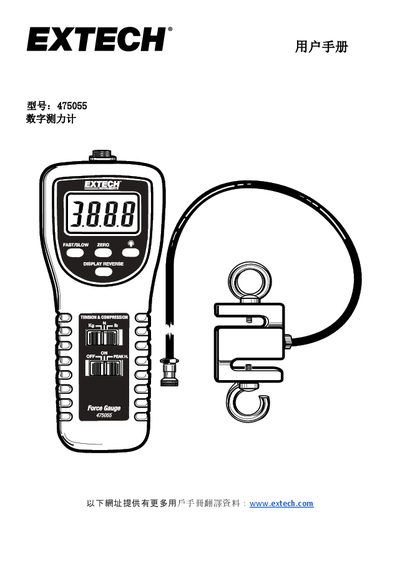
The Extech 475055 digital force gauge measures up to 220 lb (100 kg, 980 N) of tension or compression with selectable units (kg, lb, N). It features peak‑hold, fast/slow refresh rates, reversible LCD display and an RS‑232 PC interface for data logging.
The guide covers setup, measurement procedures, peak‑load mode, backlight activation, PC connection, battery replacement, and provides full technical specifications such as accuracy, resolution, overload capacity, and dimensions. This manual is written in Chinese.
| Range | 220 lb / 100 kg / 980 N |
|---|---|
| Accuracy (23 °C) | ±(0.5 % of reading + 0.1 lb, 0.1 kg or 0.4 N) |
| Resolution | 0.05 lb, 0.05 kg, 0.2 N |
| Overload Capacity | 150 kg |
| Display | 5‑digit LCD, 0.63 in (16 mm) height |
| Refresh Rate – Fast | 0.2 s |
| Refresh Rate – Slow | 0.6 s |
| Sensor Type | S‑type load cell with two hooks |
| Power Supply | 6 × 1.5 V AA batteries or 9 V DC adapter |
| Instrument Weight | 278 g |
| Instrument Dimensions | 8.5 × 3.5 × 1.8 in (215 × 90 × 45 mm) |
Press the unit‑selection button to toggle between kilograms, pounds, or newtons.
Briefly press the backlight button; the LCD lights for about 15 seconds before turning off automatically.
Use the RS‑232 port and obtain the 407001‑Pro software from Extech to transfer data.