
This is a document about configuring IPv6 on TP-Link VX230v router. It contains detailed configuration steps for different router firmware versions.
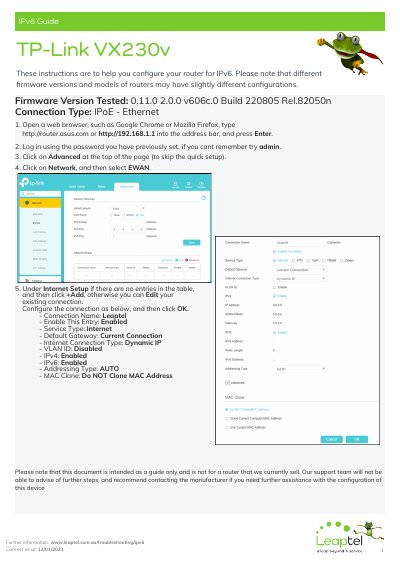
This one-page guide explains how to open the router web interface, log in, and configure an EWAN Internet connection for IPv6. It lists the connection settings to enter, including Dynamic IP, disabled VLAN, enabled IPv4 and IPv6, AUTO addressing, and no MAC cloning.
The guide notes that it is intended as a guide only and that different firmware versions and router models may have slightly different configurations. It also states the firmware version tested and the IPoE Ethernet connection type.
| Firmware version tested | 0.11.0 2.0.0 v606c.0 Build 220805 Rel.82050n |
|---|---|
| Connection type | IPoE - Ethernet |
Try admin.
IPoE - Ethernet.
AUTO.
No, do not clone the MAC address.