
TL-SG2216 industrial Ethernet switch provides 12/24/48 VDC(9.6 - 60 VDC) redundant power input, can simultaneously connect to three DC power supplies, working temperature -40~75°C, metal shell IP30 protection grade, enough to be durable in harsh industrial environment.
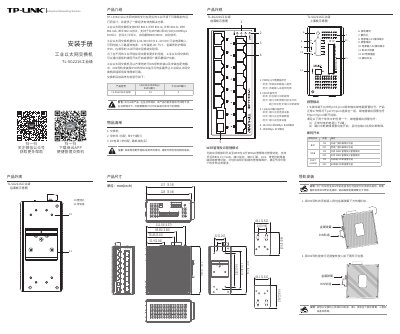
This manual provides installation instructions for the TL-SG2216 industrial Ethernet switch, including DIN rail and wall mounting. It details power requirements, port configurations, and alarm functions. The switch supports web and cloud management via a dedicated app or browser interface.
Technical specifications include 14x 10/100/1000Mbps RJ45 ports and 2x SFP ports, with redundant DC power input (9.6–60 VDC) and IP30 protection. It operates in extreme temperatures (-40°C to 75°C) and supports broadcast storm protection and port interruption alarms. This manual is written in Chinese.
| Power Input | 12/24/48 VDC (9.6~60 VDC) |
|---|---|
| Operating Temperature | -40°C to 75°C |
| IP Rating | IP30 |
Insert the DIN rail into the slot below the metal spring, then rotate and press the DIN rail mount into place.
The switch accepts redundant DC power input from 9.6 to 60 VDC.
Connect a PC to any RJ45 port, open a browser, and enter http://10.18.18.251 to access the management page.
The alarm output (pin3/pin4) triggers when either less than 2 power sources are active or a port interruption alarm is enabled and a port fails.