
This document describes the use of the Olympus WS-852 Digital Recorder, including turning it on, changing the date and time, and recording audio files.
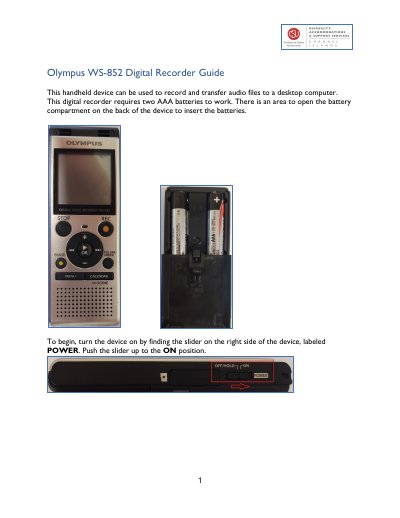
This document is the user guide for the Olympus WS-852 Digital Recorder, a handheld device used to record and transfer audio files to a desktop computer. The device operates using two AAA batteries and features a slider power switch on the right side.
| Power Source | two AAA batteries |
|---|---|
| Storage Folders | 5 folders |
Push the slider on the right side of the device, labeled POWER, up to the ON position.
Press the OK button while the recording is playing, then use the + and – buttons to increase or decrease the speed.
Flip the recorder over, push the slider upward while pressing the small circular button to reveal the USB connector, and plug it into the computer.