
This manual introduces the features and use of HighPoint RocketRAID 2760 6Gb/s SAS/SATA Host Adapters, including compatibility, function description, installation guide, setup methods, etc.
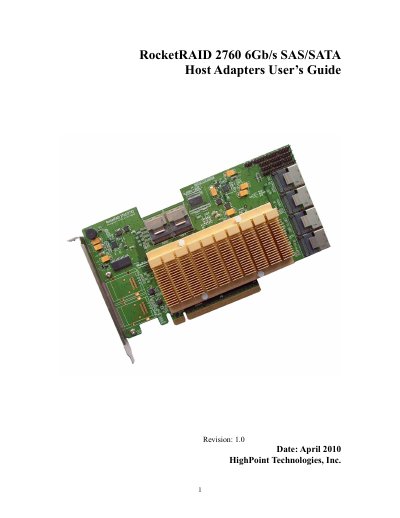
The RocketRAID 2760 is a PCI-Express 2.0 x16 SAS/SATA RAID host adapter supporting up to 24 SAS/SATA drives through six internal Mini-SAS connectors (SFF-8087). It supports RAID 0, 1, 5, 10, 50, and JBOD, and includes features such as hot swap, staggered drive spin up, disk scrubbing, and SAF-TE/SGPIO enclosure management.
The guide covers hardware layout and installation, the RocketRAID BIOS Utility for creating and deleting arrays and managing spare disks, driver installation for Windows, Linux, and FreeBSD, and the HighPoint RAID Management Web GUI and CLI. It also covers array initialization, rebuilding, scheduling tasks, Storage Health Inspector, event notification, and OCE/ORLM.
| Host interface | PCI-Express x16 (Gen2) |
|---|---|
| Maximum drives | Up to 24 SAS/SATA drives |
| Internal connectors | 6 Internal Mini-SAS Connectors (SFF-8087) |
| RAID levels | RAID 0, 1, 5, 10, 50, and JBOD |
| Dimensions | 203 mm x 111 mm |
| Operating temperature | +5 °C to +55 °C |
| Relative humidity | 5% to 60%, non-condensing |
| Storage temperature | -20 °C to +80 °C |
| MTBF | 920,585 hours |
The RocketRAID 2760 supports RAID 0, 1, 5, 10, 50, and JBOD.
It supports up to 24 SAS/SATA drives.
The guide lists Windows XP, 2003, Vista, 2008, and 7; Linux distributions including Fedora Core, Red Hat Enterprise/CentOS, SuSE, and Debian Ubuntu; and FreeBSD.
Press ctrl-h during boot-up to start the RAID manager through the BIOS.