
The Extech Model 444731 Hygro-Thermometer is a hygro-thermometer that simultaneously displays Relative Humidity and Temperature measurements.
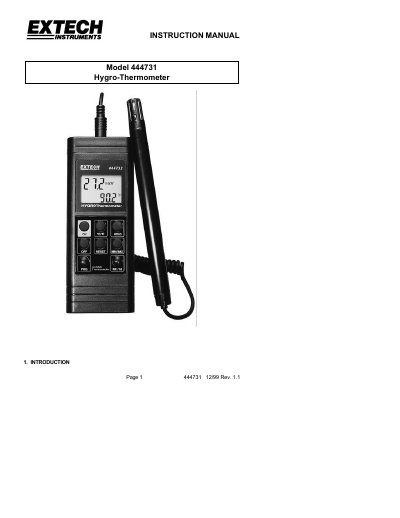
This manual provides instructions for operating the Extech Model 444731 Hygro-Thermometer, including how to power it on and off, switch between Celsius and Fahrenheit, freeze readings, and view minimum/maximum values. It also details calibration procedures for both humidity and temperature, error handling, and battery replacement. The device displays relative humidity and temperature simultaneously and includes a remote sensor.
Technical specifications include humidity range (10–95%) and temperature range (0–199.9°F or 0–93°C), operating and storage temperature ranges, TTL serial output, and power requirements (9V battery, 100-hour life).
| Humidity Range | 10- 95% +3% (25 to 90%); +5% (10 to 25% and 90 to 95%) |
|---|---|
| Temperature Range | 0 to 199.9 °F (0 to 93°C) |
| Operating Temperature | 32°F to 122°F (0°C to 50°C) |
| Storage Temperature | 32°F to 140°F (-20°C to 60°C) |
| TTL Serial Output Baud Rate | 1200bps |
| Power | 9V battery |
| Battery Life | 100 hrs. typical (alkaline) |
| Meter Dimensions | 68x 29x 1.14" |
| Probe Dimensions | 8.2'"L x 0.7"D |
| Weight | 2 lbs. 2 oz. |
Press the "C/F" key to change the display from degrees C to degrees F.
The probe is not properly connected.
Insert the sensor probe into a 33% calibration reference (magnesium chloride saturated salt solution), then follow the steps to enter CAL mode and complete the 33% and 75% calibration processes.
One year from date of shipment, with a six-month limited warranty on sensors and cables.