
This is the user manual of StyleView Sit Stand Combo Arm, which details the product's features and characteristics, including installation, adjustment and use.
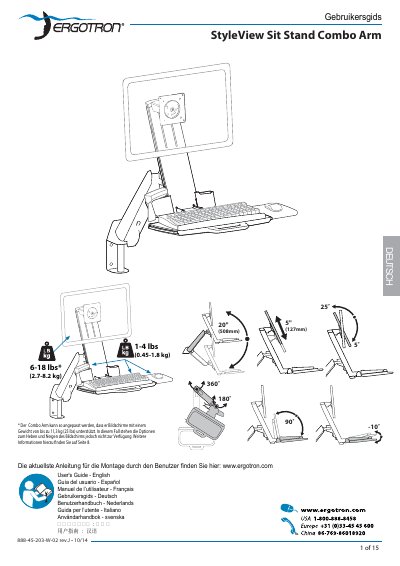
This document is the User's Guide for the Ergotron StyleView Sit Stand Combo Arm. It details the necessary components, required tools, and step-by-step instructions for mounting the arm to a desk and securing it to a wall. The guide emphasizes that the product must be adjusted after assembly to ensure smooth movement and stability.
| Weight Capacity (Standard) | 1-4 lbs (0.45-1.8 kg) |
|---|---|
| Weight Capacity (Optional) | up to 11.3 kg (25 lbs) |
| Recommended User Height | 5'3"-5'9" (160-175cm) |
Yes, the arm can be adjusted to support screens weighing up to 11.3 kg (25 lbs) using optional modifications.
When the arm is adjusted for heavier screens (8.2 to 11.3 kg), the options to lift and tilt the screen are not available.