
Instruction manual for the Ergotron PowerShuttle AC tablet charging cart, covering features, installation, safety, specs and maintenance.
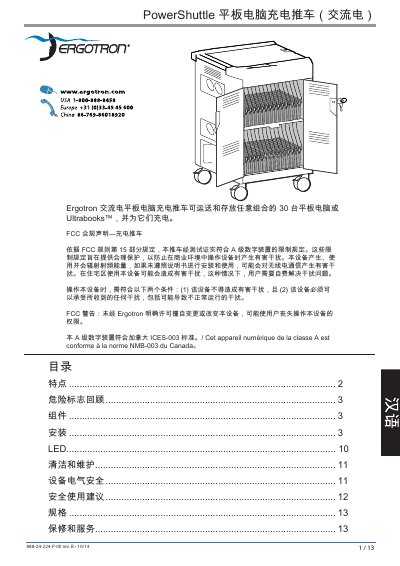
The Ergotron PowerShuttle AC is a mobile charging cart designed to transport and charge up to 30 tablets or Ultrabooks. The manual provides detailed safety warnings, component descriptions, and step‑by‑step installation instructions.
It also lists electrical specifications, load capacities, dimensions, environmental limits, and warranty information, helping users operate and maintain the cart safely and efficiently. This manual is written in Chinese.
| Cart dimensions (W × D × H) | 71.1 cm × 62.0 cm × 101.6 cm |
|---|---|
| Cart weight (empty) | 72.1 kg |
| Top work‑surface load capacity | 11.3 kg |
| Device slot size | 15.3" × 12.3" × 1.1" (389 × 313 × 28 mm) |
| Power system (US) | 100‑120 V ~ 12.0 A 50/60 Hz |
| Power system (EU/Asia) | 220‑240 V ~ 8.0 A 50/60 Hz |
| Operating temperature range | 0 °C to 30 °C |
| Storage temperature range | -40 °C to 60 °C |
The cart can transport and store up to 30 tablets or Ultrabooks.
The top work surface can support up to 11.3 kg (25 lb).
It accepts 100‑120 V ~ 12 A or 220‑240 V ~ 8 A, 50/60 Hz, depending on the region.