
This document is a user manual for the Saitek X36 Flight Control System. It introduces the product’s features and how to use the product.
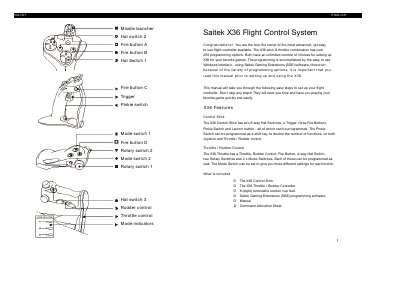
The document introduces the Saitek X36 Flight Control System, detailing its features including a control stick with hat switches, triggers, and buttons, as well as a throttle/rudder controller. It lists included components such as the controllers, suction cup feet, and programming software.
The guide covers system requirements for Windows 95/98, installation steps involving the Saitek Product Companion Disc, and connecting via USB or game port. It explains how to use the Game Profiler Wizard to download profiles and provides a step-by-step tutorial on adding commands to a profile using the SGE software's 3D model interface.
| Control Stick Features | two 8-way Hat Switches, a Trigger, three Fire Buttons, Pinkie Switch and Launch button |
|---|---|
| Throttle / Rudder Control Features | Throttle, Rudder Control, Fire Button, 4-way Hat Switch, two Rotary Switches and 2 x Mode Switches |
| Programming Options | over 250 programming options |
| Minimum RAM Requirement | 32Mb of RAM |
| Operating System Requirements | Windows 95 installed (Windows 98 for USB operation) |
The programming is accomplished using the Saitek Gaming Extensions (SGE) software.
Yes, it supports dual compatibility for both connectors, but only one should be used at a time.
The controller will not function correctly until the NukeUSB utility is run to remove it from the registry.