
This document introduces the basic use of Logitech MK270 wireless keyboard and mouse combo.
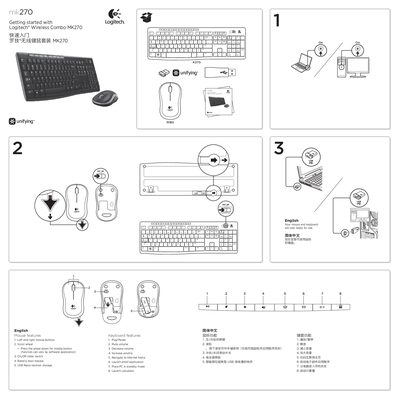
This document is a quick start guide for the Logitech Wireless Combo MK270. It provides instructions on getting started with the included wireless mouse and keyboard, detailing their specific features such as scroll wheel functionality and media controls.
The guide also covers troubleshooting steps for setup issues, including battery installation and USB port connections. Additionally, it explains how to use the Logitech Unifying receiver to add compatible devices to your existing setup.
The mouse uses one AA alkaline battery and the keyboard uses two AAA alkaline batteries.
You can connect up to six devices using only one USB port.
Pressing the wheel down acts as a middle button, though the function may vary by software application.