
R6208SB is a 8-channel high-speed receiver from Futaba, supports S.BUS protocol, compatible with FAST-2.4GHz (multi-ch) system. This receiver features dual antenna diversity technology, size is 0.98 x 1.86 x 0.56 inches (24.9 x 47.3 x 14.3 mm), weight is 0.49 oz (13.8g), power requirement is 3.7V to 7.4V (voltage range is 3.5 to 8.4V). When using ESC's regulated output, please make sure the battery capacity is greater than or equal to the receiver's required capacity.
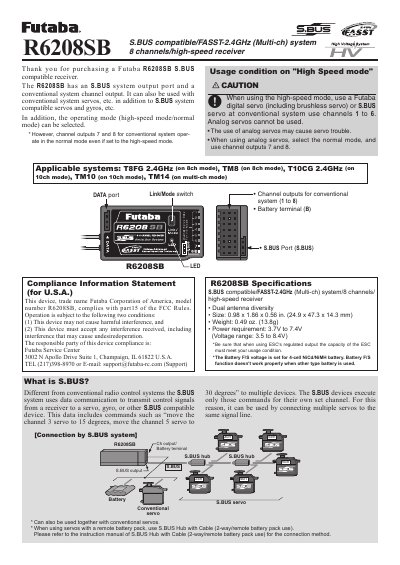
The Futaba R6208SB is an 8-channel receiver compatible with S.BUS and FASST-2.4GHz systems. It features a dual antenna diversity system and supports both high-speed mode for digital servos and normal mode for analog servos on specific channels.
| Channels | 8 channels |
|---|---|
| System Compatibility | S.BUS compatible/FASST-2.4GHz (Multi-ch) system |
| Size | 0.98 x 1.86 x 0.56 in. |
| Weight | 0.49 oz. |
| Power Requirement | 3.7V to 7.4V |
High-speed mode allows the use of Futaba digital servos or S.BUS servos on channels 1 to 6, whereas analog servos cannot be used in this mode.
Press and hold the Link/Mode switch for more than one second while turning on the receiver, then release it.
A blinking Red LED indicates that the receiver is receiving signals but the ID is unmatched.