
This manual introduces the use of SBD-1, including connection methods and channel settings
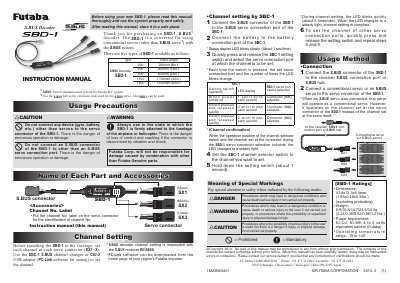
The Futaba SBD-1 is a converter designed to allow the use of conventional servos (other than S.BUS servos) with the S.BUS system. It is available in five different types with total lengths ranging from 200mm to 1600mm. The device connects to the S.BUS receiver or hub and converts the signal to drive standard servos.
Before installation, users must set the channel number for each of the three servo connectors (SX1, SX2, SX3) using the SBC-1 S.BUS channel changer or the CIU-2 USB adapter with PC-Link software. The manual details the channel setting procedure, including LED status indicators for confirmation, and lists important usage precautions regarding connections and mounting.
| Dimensions | 41.8x12.3x8.4mm (1.65x0.48x0.33in.) |
|---|---|
| Weight | 6.9/10.8/14.7/24.5/34.3g |
| Power requirement | Ni-Cd, Ni-MH 4 to 5 cells equivalent battery |
| Operating temperature range | -10 to +45°C |
The LED changes to a steady light when the setting is complete.
The SBD-1 is a converter that allows conventional servos to be used with the S.BUS system.
The unit measures 41.8x12.3x8.4mm and weighs between 6.9g and 34.3g depending on the type.
The device requires a Ni-Cd or Ni-MH 4 to 5 cells equivalent battery.