
This document introduces the usage conditions and specifications of the Futaba R6303SB high-speed receiver. The high-speed mode only accepts digital servos, and connecting an analog servo may cause a malfunction. If a malfunction occurs, the receiver should be changed back to normal mode. The receiver complies with part 15 of the FCC rules, and features dual antenna diversity and an S.BUS port. It is lightweight and compact, making it suitable for various systems.
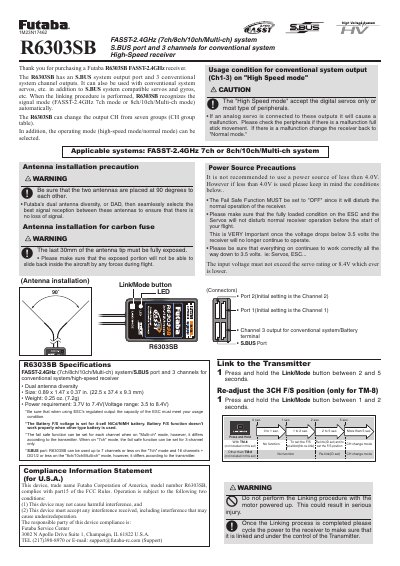
The Futaba R6303SB is a high-speed receiver designed for use with FASST-2.4GHz (7ch/8ch/10ch/Multi-ch) systems, featuring an S.BUS port and three channels for conventional system outputs. It supports both digital servos and peripherals in High Speed mode, while also maintaining compatibility with conventional analog servos when set to Normal mode.
The document provides instructions on linking the receiver to a transmitter, selecting between Normal and High Speed modes via LED indicators, and configuring operation channel groups. It also details specific connections for gyro systems (GYA430/431/CGY750) and explains the functionality of S.BUS data communication.
| Size | 0.89 x 1.47 x 0.37 in. |
|---|---|
| Weight | 0.25 oz. |
| Power Requirement | 3.7V to 7.4V |
Turn off the receiver, press and hold the Link/Mode button while turning it on for more than 1 second, then release.
A solid red LED indicates that the receiver is in Normal mode.