
Key facts
- Manuals
- 164
- Models
- 5
- Languages
- EN
- Last added
- 2026-10-03
Futaba models by category
Featured Futaba manuals
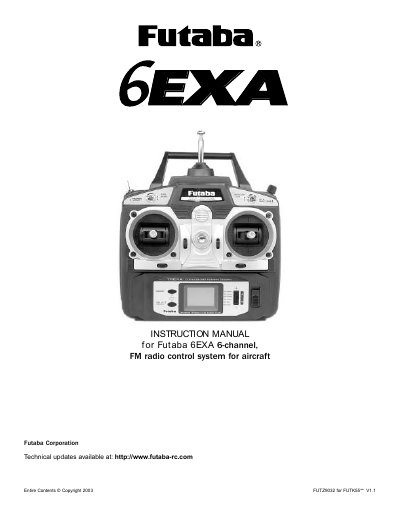
Futaba 6EXA Radio Control System Instruction Manual
This instruction manual covers the Futaba 6EXA digital proportional R/C aircraft system, including the transmitter, receiver, servos, batteries and accessories. It explains how to install the radio, charge the Ni‑Cd batteries, and safely operate the system for sport and recreational flying.
Key sections describe transmitter controls, programming functions such as servo reversing, dual rates, exponentials and mixers, as well as safety procedures, frequency charts and troubleshooting tips. The document also lists the included components and provides model‑specific data sheets.
Covers: Introduction · Transmitter controls and descriptions · Radio installation · Receiver and servo connections · Charging the Ni‑Cd batteries · LCD and programming controls
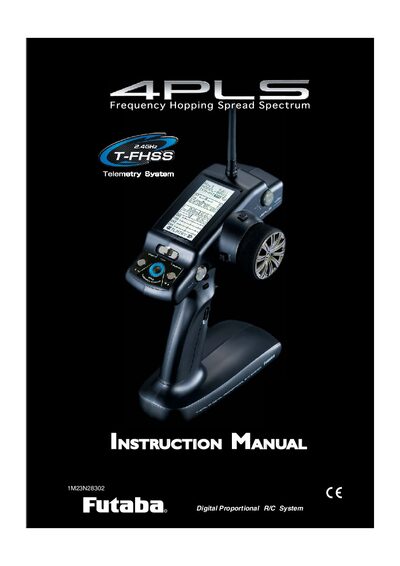
Futaba 4PLS-2.4GHz R/C System Instruction Manual
This manual explains how to safely set up and operate the Futaba 4PLS-2.4GHz radio‑control system. It covers safety warnings, export regulations, battery handling, and the required installation procedures for both transmitter and receiver.
Detailed sections describe the transmitter’s functions, menu navigation, mixing options, fail‑safe settings, and troubleshooting tips. Reference tables list symbols, specifications, and optional parts, helping users configure the system for model cars, planes, or other hobby applications.
Covers: For Your Safety As Well As That Of Others · Explanation of Symbols · 2.4GHz System Precautions · Receiver Mode Precautions · Operation Precautions · Ni‑MH/Ni‑Cd Battery Handling Precautions
Futaba 8FG & 8FGS Radio Controller Programming Guide
This guide explains how to set up flight conditions, control mixes, servo assignments and failsafe settings on the Futaba 8FG/8FGS radio. It walks the user through creating a new model, selecting frequencies, naming the model, and configuring switches for different flight phases.
Detailed instructions cover servo direction, travel limits, limit points, crow‑brake setup, aileron differential, and programming the failsafe. The document assumes familiarity with the Touch Sensor for menu navigation and provides diagrams for each step.
Covers: Programming the Futaba 8FG & 8FGS · Flight Conditions · Controls · Creating a New Model · Frequency Selection · Naming the Model
Latest Futaba manuals
Futaba 6EXA Radio Control System Instruction Manual
User Manual 20 pages · 334 KB · ENThe manual provides setup, programming, operation and safety guidelines for the Futaba 6EXA 6‑channel FM radio control system.
Futaba 4PLS-2.4GHz R/C System Instruction Manual
User Manual 121 pages · 2.2 MB · ENThe Futaba 4PLS-2.4GHz R/C System Instruction Manual provides safety precautions, installation steps, operation guidance, and function descriptions for the…
Futaba 8FG & 8FGS Radio Controller Programming Guide
Programming Manual 17 pages · 1.2 MB · ENStep‑by‑step guide for programming the Futaba 8FG and 8FGS radio for a four‑servo electric glider.
Futaba WTR-7 Manual
This manual introduces the Wireless Trainer System WTR-7. The WTR-7 is used as a wireless trainer unit instead of the conventional wired trainer cable. This manual will introduce how to use WTR-7.
Futaba FASST Air System TM-8 RF Module R608FS Receiver Instruction Manual
This document describes how to get the best performance from your 2.4GHz FASST radio equipment.
Futaba FASST Air System TM-7 RF Module R607FS Receiver Instruction Manual
This article mainly introduces how to use Futaba® 2.4GHz FASST™ aircraft receivers to obtain the best performance.
Futaba FASST Air System TM-14 RF Module R6014FS Receiver Instruction Manua
This document provides recommendations on how to get the best performance from your 2.4GHz FASST aircraft receivers. The recommendations include: don’t wrap your FASST receiver in foam, shade your model from sunlight when not flying, use the correct power setting, install the receiver so that it doesn’t come into contact with any metal parts of the aircraft, keep the receiver away from other electronic devices, and regularly check the receiver’s operation status.
futaba SBS-01T
The SBS-01T is a temperature sensor that can be used to measure the temperature of engines and other devices. It has a measurement range of -20℃ to 200℃. It can be connected to a Futaba transmitter and the temperature can be displayed via the S.BUS2 port.
Futaba SBS-01RM Manual
The document introduces an RPM sensor named SBS-01RM, which has a length of 255mm, weight of 4.7g, voltage range of DC3.7~7.4V, and a speed range of 360~100,000RPM. The document also provides installation instructions and proper usage methods for the sensor.
Futaba SBS-01G Manual
The SBS-01G is a sensor that calculates distance and speed from GPS. It is not recommended for indoor flying and may not detect the flight posture of a model. This sensor calculates altitude based on atmospheric pressure, but changes in atmospheric pressure can affect the accuracy of the display. It takes some time for the GPS positioning to be established, and during this time, the model should not be moved. The sensor should not be installed where it can be directly exposed to wind or airflow, in a sealed location where atmospheric pressure does not change, or where objects that interfere with electromagnetic waves are above the sensor (such as metal or carbon). It is not recommended for indoor flying and should not be placed in a sealed location. The altitude/height displayed starts from 0m when the power is turned on and shows the change from that point. Even if the altitude of your airfield is high, it will start at 0m and calculate the altitude difference.
Futaba SBS-01A Manual
This document introduces an altitude sensor and vario meter based on atmospheric pressure measurement. The sensor can measure altitudes ranging from -700 to 5,500 meters and is lightweight. It is suitable for applications with a DC voltage of 3.7 to 7.4V. The sensor calculates altitude from atmospheric pressure, but exact advanced display is not possible when atmospheric pressure changes due to weather conditions. The document also mentions installation precautions.
Futaba SBE-1 Manual
Instruction Manual of SBE-1 S.BUS ENCODER. It introduces the working principle of SBE-1, which can convert the signal of traditional system (PWM) to S.BUS system signal.
Futaba SBD-1 Manual
This manual introduces the use of SBD-1, including connection methods and channel settings
Futaba SBC-1 Manual
The S.BUS System Channel Changer is a tool for setting the channel to S.BUS servo and S.BUS decoder of Futaba S.BUS system.
Futaba S5801 Manual
Which document do I need?
User Manual
Day-to-day operation, settings and troubleshooting. Start here if the product is already set up.
Programming Manual
Instruction set, parameters and examples for configuring or programming the device.
Questions answered in Futaba manuals
How many model memories can the Futaba 6EXA store?
The transmitter can store model memories for six different models.
What is the correct order to turn off the system?
Turn off the receiver first, then the transmitter.
What safety precautions should be taken before using the 4PLS system?
Do not operate outdoors on rainy days, run through puddles of water, or use the system when visibility is limited, and avoid using it near other radio‑control activity, people, roads, or power lines.
How should the transmitter battery be replaced or recharged?
Use only the specified HT5F1700B battery and the special charger provided; do not substitute commercial AA Ni‑Cd or Ni‑MH cells, and never use the transmitter battery in the receiver.
How many different positions can the eight toggle switches be set to?
The eight toggle switches can be set in 2916 different positions.
From: Futaba 8FG & 8FGS Radio Controller Programming Guide
What is the default offset value for the camber control?
The default OFFSET is set at 15%.
From: Futaba 8FG & 8FGS Radio Controller Programming Guide