
This document describes the usage conditions of R6203SB FASST-2.4GHz (7ch/8ch/10ch/Multi-ch) System S.BUS Port and 3 Channels for Conventional System High-speed Receiver, as well as its compatibility, specifications, etc.
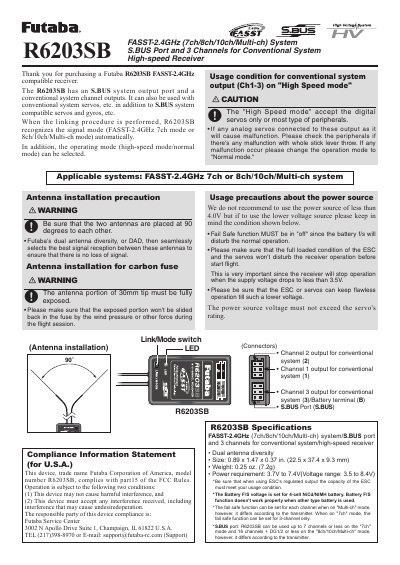
This manual provides instructions for the Futaba R6203SB, a high-speed receiver compatible with the FASST-2.4GHz system. It features an S.BUS output port and three channels for conventional system outputs, allowing use with both S.BUS and conventional servos. The device supports 7, 8, 10, or multi-channel modes and includes dual antenna diversity for reliable signal reception.
| System Compatibility | FASST-2.4GHz (7ch/8ch/10ch/Multi-ch) system/S.BUS port and 3 channels for conventional system |
|---|---|
| Size | 0.89 x 1.47 x 0.37 in. (22.5 x 37.4 x 9.3 mm) |
| Weight | 0.25 oz. (7.2g) |
| Power Requirement | 3.7V to 7.4V (Voltage range: 3.5 to 8.4V) |
The operation mode is set to "Normal mode" from factory shipping.
Press and hold the Link/Mode switch for more than one second while the receiver is on to toggle the mode.