
This document introduces the usage conditions of R6202SBW receiver, including the supported systems, size, weight, and power requirements.
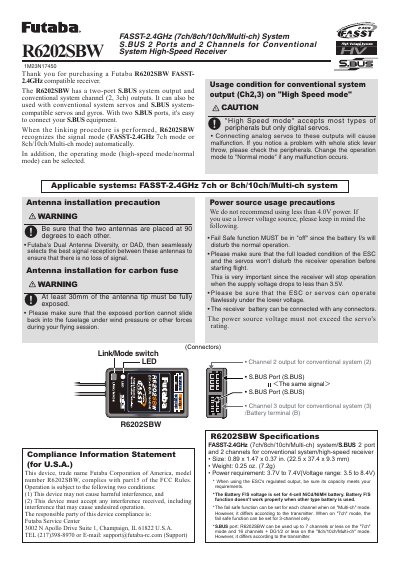
This manual provides usage conditions and precautions for the Futaba R6202SBW receiver, specifically regarding its operation in "High Speed mode" with digital servos. It details the applicable systems, including FASST-2.4GHz configurations, and outlines compliance information for the U.S.A. The document also includes important warnings about connecting analog servos and power source requirements.
| Applicable Systems | FASST-2.4GHz 7ch or 8ch/10ch/Multi-ch system |
|---|---|
| Size | 0.89 x 1.47 x 0.37 in. (22.5 x 37.4 x 9.3 mm) |
| Weight | 0.25 oz. (7.2g) |
| Power requirement | 3.7V to 7.4V (Voltage range: 3.5 to 8.4V) |
| S.BUS port capacity | 16 channels + DG1/2 or less on 8ch/10ch/Multi-ch mode |
Connecting analog servos to these outputs will cause malfunction. If a problem occurs, change the operation mode to "Normal mode".
The factory-set operation mode is "Normal".
Turn off the receiver, press and hold the Link/Mode switch while turning it on, hold for more than one second until the LED flashes, then release the switch.
A solid red LED indicates that the receiver is in "Normal mode".