
3M MP8746/MP8747 Multimedia Projector Quick Start Guide

This is a quick start guide for the 3M MP8746/MP8747 Multimedia Projector
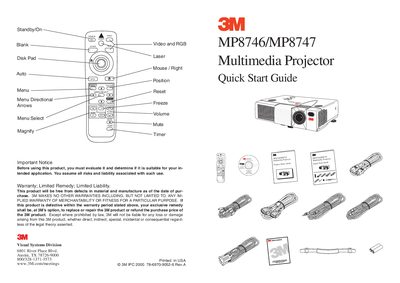

3M MP8746/MP8747 Multimedia Projector Quick Start Guide - cover page
Brand
3M
Category
Projector
Document type
Quick Start Guide
Language
English
Pages
2
File format
PDF
File size
671 KB
Published
06 July, 2012
Updated
30 September, 2023
Models
MP8746, MP8747
MD5 checksum
91B1145EACF379D2587D8DF820E37FE2

About this manual

The document serves as a quick start guide for the 3M MP8746/MP8747 Multimedia Projector. It includes important notices regarding warranty and liability, along with visual instructions on using the remote control buttons such as Standby/On, Menu Select, and Magnify.

The guide details the startup procedure, which involves waiting for a 5-second delay after pressing the power button. It also outlines connection methods for PC & Mac systems, including the use of mouse cables and video cables.

What's inside

  • Standby/On
  • Menu Directional Arrows
  • Freeze
  • Magnify
  • Warranty Notice
  • Start-up Procedure
  • PC & Mac Connection
  • Power Button

Frequently asked questions

What is the required wait time after pressing the power button?

You must wait 5 seconds before proceeding with other actions.

How do you turn on the projector using the remote?

Press and hold the Standby/Power button for 3 seconds to start up.

Download PDF (671 KB)

More 3M Manuals


View all 3M manuals →