
This video introduces eight possible causes of reduced resolution in Agilent GC, and provides solutions, including changing columns, changing temperatures, changing flow rates, and changing column phases.
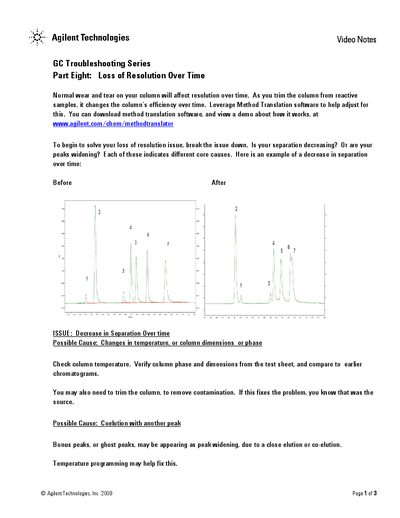
This guide addresses the issue of losing resolution over time in Gas Chromatography (GC) systems. It explains that normal wear and tear on columns, caused by trimming from reactive samples, affects efficiency. The document suggests leveraging Agilent's Method Translation software to adjust methods for these changes.
The text breaks down specific issues into two categories: a decrease in separation and increases in peak width. For decreased separation, it advises checking column temperature, phase, dimensions, and potential co-elution with other peaks (ghost peaks). For increased peak width, the guide lists causes such as changes in carrier gas velocity, column contamination, injector settings, sample concentration, and improper solvent effects.
Possible causes include changes in temperature, column dimensions or phase, and coelution with another peak.
You may need to trim the column to remove contamination. If this fixes the problem, it was the source.