
This document provides instructions on how to properly install and use a Brother fax machine, along with relevant operational instructions and contact information.
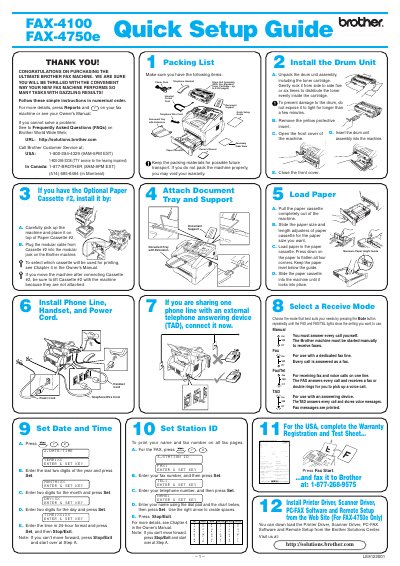
This document provides a step-by-step quick setup guide for the Brother Ultimate Fax Machine models FAX-4100 and FAX-4750e. It covers essential initial steps such as unpacking the drum unit assembly, installing the paper cassette, connecting phone lines and power cords, and attaching the document tray.
You should gently rock the drum unit assembly from side to side five or six times.
The included standard toner cartridge is rated for up to 3,000 pages.
You must enter the time in 24-hour format.