
OLYMPUS VG-140/D-715 VG-130/D-710 VG-120/D-705 Quick Start Guide

This manual describes the functions and usage of Olympus digital camera VG-140/D-715.
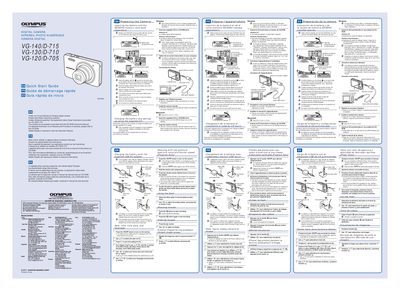

OLYMPUS VG-140/D-715 VG-130/D-710 VG-120/D-705 Quick Start Guide  - cover page
Brand
Olympus
Category
Digital cameras
Document type
Quick Start Guide
Language
English
Pages
2
File format
PDF
File size
1012 KB
Published
08 June, 2012
Updated
30 September, 2023
MD5 checksum
890073C8AEB6F20D23DEB2683CA8F688

About this manual

This document serves as a Quick Start Guide for the Olympus VG-140/D-715, VG-130/D-710, and VG-120/D-705 digital camera series. It provides essential instructions for initial setup, including inserting the battery and SD/SDHC memory card, connecting the camera to a computer via USB cable, and charging the battery.

What's inside

  • Preparing the Camera
  • Inserting the Battery
  • Memory Card Usage
  • Connecting to Computer
  • Charging the Battery
  • Software Setup

Frequently asked questions

What operating systems are recommended for this camera?

The guide recommends using a computer equipped with Windows XP (Service Pack 2 or later), Windows Vista, or Windows 7.

What type of memory card is compatible?

The camera requires SD/SDHC memory cards; other types should not be inserted.

How do I unlock the battery compartment?

You must slide the battery lock knob in the direction of the arrow to unlock it before removing or inserting the battery.

Download PDF (1012 KB)

More Olympus Manuals


View all Olympus manuals →