
The Canon PJD6221 projector is bright, portable, and uses DLP® technology. It supports 3D and can be connected to a PC for remote control.
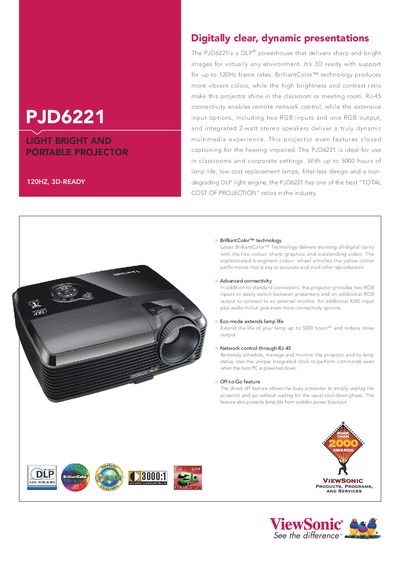
The PJD6221 is a DLP® projector offering bright, sharp images with 3D support up to 120 Hz. It features BrilliantColor™ technology, up to 5000 hours lamp life, and a filter‑less design for low total cost of ownership.
The manual covers connectivity (two RGB inputs, RGB output, RJ‑45, audio I/O), installation options, control functions, technical specifications, and warranty information, helping users quickly set up and operate the projector.
| Display Type | 0.55" Digital Micromirror Device (DLP™) |
|---|---|
| Resolution | XGA 1024x768 (Native) / SXGA 1280x1024 (compressed) |
| Brightness | 2900 Lumens |
| Contrast Ratio | 3000:1 (with DCR) |
| Throw Ratio | 1.6:1‑1.9:1 |
| Throw Distance | 1.2 m‑10 m |
| Weight | 2.7 kg (5.95 lb) |
| Power Consumption | 235 W typical / <1 W standby |
| Noise Level | 31 dB normal / 29 dB eco |
It provides two RGB inputs, one RGB output, an RJ‑45 port, audio in/out, composite and S‑Video inputs, and RS‑232 control.
The projector delivers 2,900 lumens of brightness.
Yes, it is 3D‑ready with support for up to 120 Hz frame rates.