
This document is an operational guide for connecting a computer to a projector. It provides steps for turning on the main power switch, connecting the computer to the projector, and turning on the projector. The product is characterized by its ease of use and is suitable for various settings.
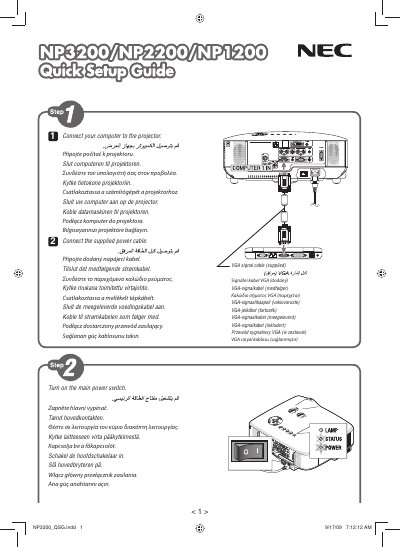
This guide provides the essential steps to install, power up, and begin using the NEC NP3200, NP2200 and NP1200 display models. It includes safety notes, connection diagrams, and initial configuration procedures.
The document is intended for end‑users and installers who need a fast start to get the displays operational, covering basic wiring, power requirements, and basic menu navigation. This manual is written in Japanese.
The guide covers the NEC NP3200, NP2200 and NP1200 display models.
It was printed in China by NEC Display Solutions, Ltd.