
NEC NP600/NP500/NP400/NP300/NP500W/NP600S/NP500WS Quick Setup Guide

This quick setup guide introduces how to connect and operate NP600/NP500/NP400/NP300, NP500W/NP600S/NP500WS projectors.
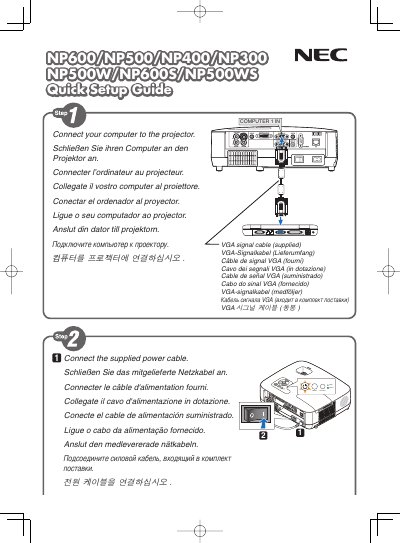

NEC NP600/NP500/NP400/NP300/NP500W/NP600S/NP500WS Quick Setup Guide - cover page
Brand
NEC
Category
Monitor
Document type
Quick Start Guide
Language
English
Pages
6
File format
PDF
File size
1.1 MB
Published
10 May, 2012
Updated
30 September, 2023
MD5 checksum
CCF412FC13B11EA355FF091C0E95C634

About this manual

The guide provides quick installation steps for NEC NP600 series displays, covering connection of video sources and basic menu navigation.

It explains key functions such as the AUTO ADJ button for automatic image optimization, Digital Zoom, Auto Keystone Off, Wall Color, Lamp Mode, and other display settings.

What's inside

  • Installation Options
  • Digital Zoom
  • Auto Keystone Off
  • Wall Color
  • Lamp Mode
  • Caption Off
  • Menu Navigation
  • Quick Start Steps

Frequently asked questions

How do I optimize the computer image automatically?

Press the AUTO ADJ. button to optimize a computer image automatically.

How can I adjust the display zoom?

Use the DIGITAL ZOOM menu option to change the zoom level.

Download PDF (1.1 MB)

More NEC Manuals


View all NEC manuals →